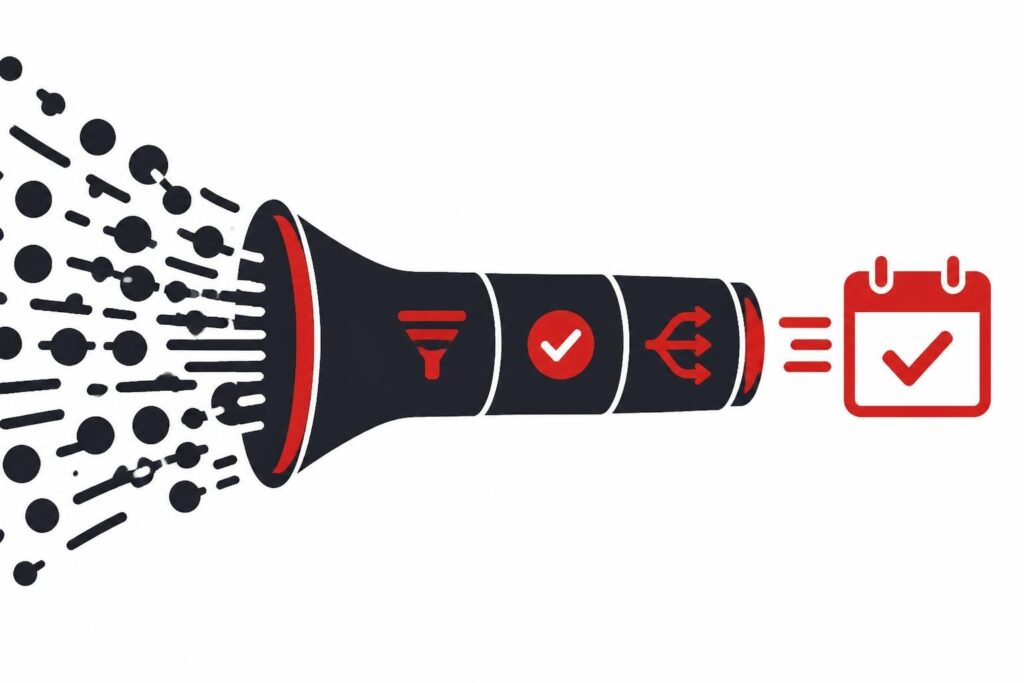
A leads tool is software that captures, qualifies, scores, and routes prospective customers through your sales funnel with minimal manual intervention. In 2026, the right leads tool eliminates spreadsheet chaos and ensures your sales team spends time talking to buyers who are ready to purchase, not chasing tire-kickers or cold leads that go nowhere.
The majority of B2B teams still treat lead management like it's 2015. They capture form fills, dump them into a CRM, and assign them round-robin to sales reps who follow up manually. That approach wastes time and money because most inbound leads are not ready to buy, and most sales reps are terrible at persistence. A modern leads tool automates qualification, prioritizes hot prospects, and books meetings without human intervention.
What Does a Leads Tool Actually Do?
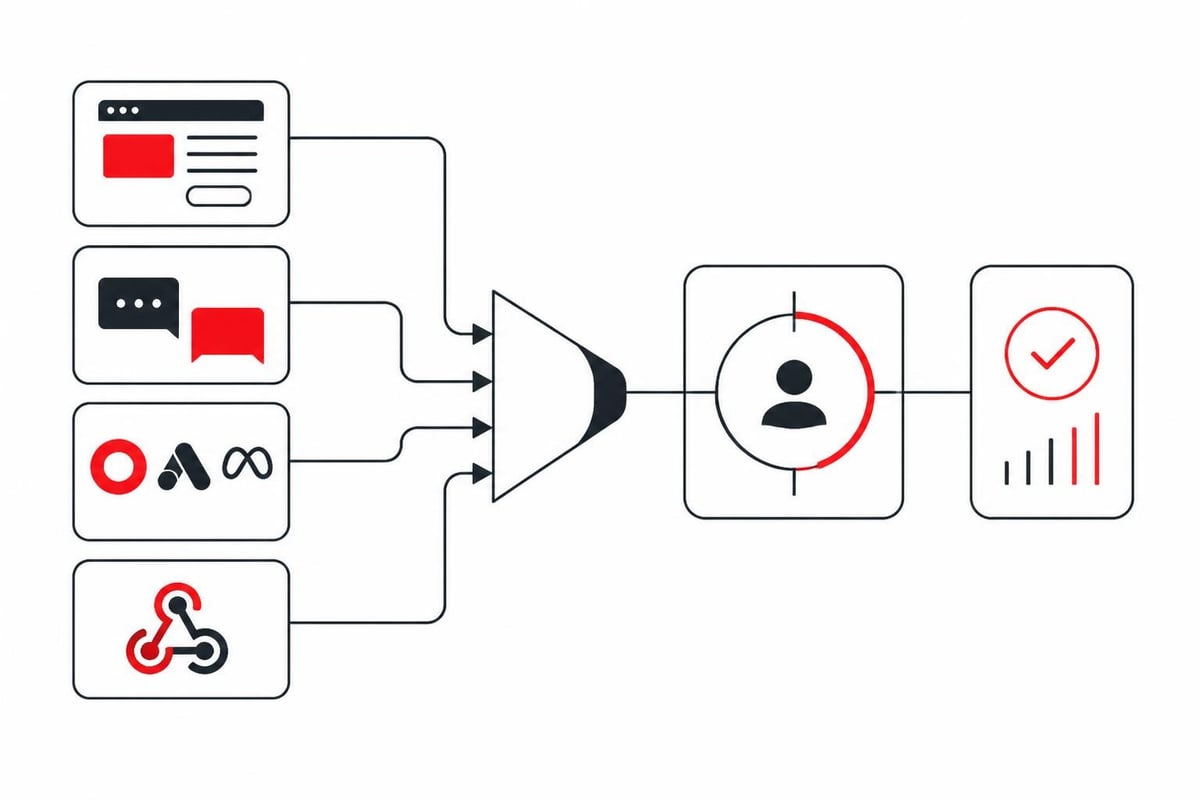
A leads tool handles four core jobs: capture, enrichment, scoring, and routing. Capture means collecting contact information from your website, ads, events, or third-party sources. Enrichment appends firmographic and behavioral data so you know company size, industry, tech stack, and intent signals. Scoring assigns a numerical value based on fit and engagement. Routing sends qualified leads to the right sales rep or directly into a calendar.
The best leads tools integrate with your existing stack. They pull data from your CRM, marketing automation platform, ad accounts, and website analytics. They push scored leads back into your CRM and trigger workflows in tools like Slack, email, or SMS. Integration quality determines whether your leads tool becomes the nerve center of your pipeline or another siloed database that collects dust.
Capture: How Your Leads Tool Collects Prospects
Most leads tools offer multiple capture methods:
- Form builders embedded on landing pages, blog posts, or pricing pages
- Chatbots and live chat that qualify visitors in real time
- API integrations with ad platforms (Meta, Google, LinkedIn) to pull leads directly
- Third-party data providers that append contact info based on website activity
- Webhooks from webinar platforms, events, or partner sites
The capture method matters less than what happens next. A form that collects name and email is worthless if you cannot enrich that lead with company data, intent signals, and behavioral scoring. According to Forrester’s Revenue Engine planning frameworks, most B2B teams need 10-15x more leads at the top of the funnel than they think because conversion rates from raw lead to closed deal are typically 1-3%.
Enrichment: Turning Names into Actionable Data
Raw contact information is useless. You need to know if the lead works at a company that fits your ICP, what their role is, whether they have budget authority, and what pain points they are researching. Enrichment fills those gaps by appending data from third-party sources.
| Enrichment Data Point | Why It Matters | Common Sources |
|---|---|---|
| Company size (employees, revenue) | Filters out accounts too small or large for your product | LinkedIn, ZoomInfo, Clearbit |
| Industry and tech stack | Identifies fit and compatibility | BuiltWith, G2, HubSpot |
| Job title and seniority | Determines decision-making authority | LinkedIn, Apollo, Lusha |
| Funding and growth signals | Indicates budget availability and urgency | Crunchbase, PitchBook, SimilarWeb |
| Website behavior and intent | Shows active research and buying signals | First-party analytics, Bombora, 6sense |
Enrichment is where most free and cheap leads tools fail. They give you a name and email, maybe a company name, but no context. You still have to manually research every lead before deciding if it is worth a sales call. That defeats the purpose of automation.
How Do You Know If a Leads Tool Is Worth the Money?
Price a leads tool based on time saved, not cost per lead. If your sales team spends 10 hours per week researching and qualifying inbound leads, and a leads tool cuts that to 2 hours, you are saving 8 hours of expensive labor. Even if the tool costs $500/month, you are ahead if those 8 hours generate more revenue than $500.
Most teams buy leads tools based on features and ignore workflow fit. They see "AI scoring" or "automated routing" and assume it will work. Then they spend months configuring rules, training reps, and debugging integrations. The best leads tool is the one that matches your existing sales process and requires the least customization.
Lead Scoring: Separating Hot Prospects from Time-Wasters
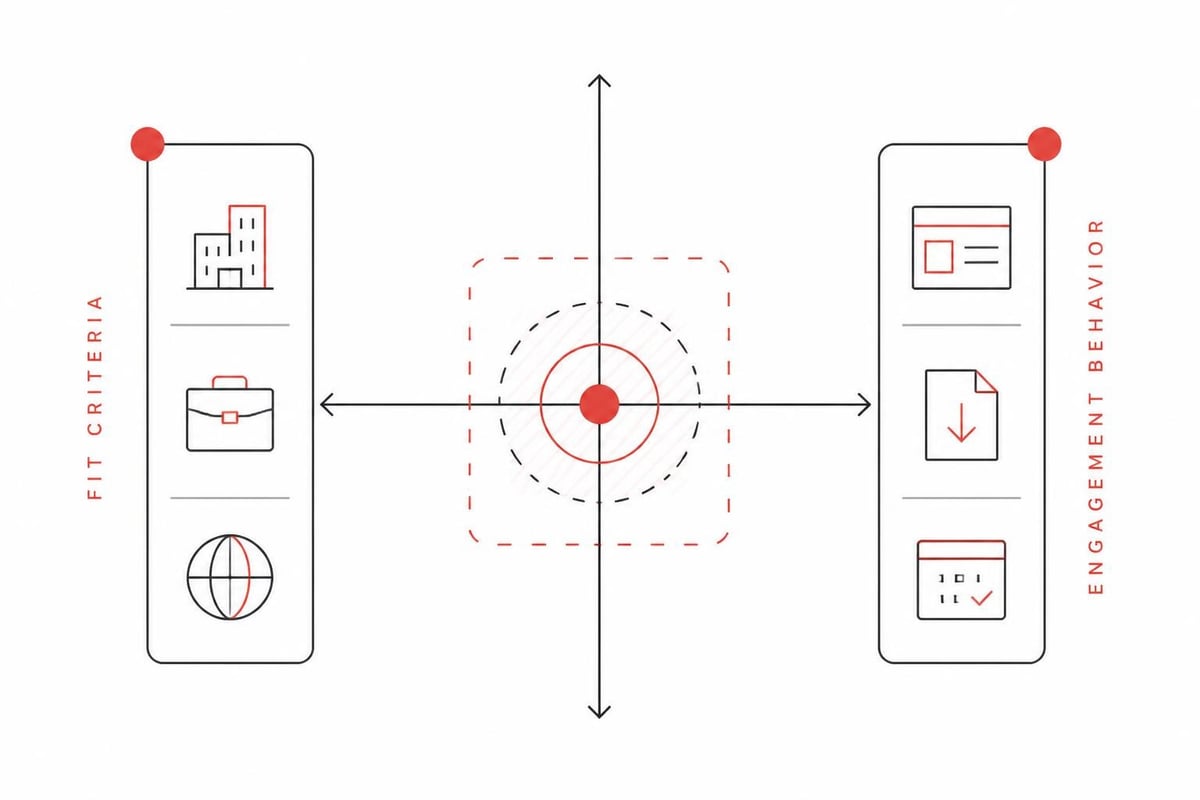
Lead scoring assigns a numerical value (usually 0-100) to each prospect based on fit and behavior. Fit criteria include company size, industry, role, and geography. Behavior criteria include website visits, content downloads, email opens, and ad clicks. The Adobe Marketo Engage person scoring models documentation walks through how to build multi-dimensional scoring that weighs both dimensions.
Here is what does not work: scoring based only on engagement. A prospect who downloads five whitepapers but works at a 10-person company with no budget is not a qualified lead. A prospect who visits your pricing page once but matches your ICP perfectly is hotter than someone who engaged heavily but has no buying authority.
Aletto has tested hundreds of scoring models across B2B SaaS and service clients. The best models assign 60% weight to fit criteria and 40% to behavior. Leads scoring above 70 go directly to sales. Leads between 40-70 enter a nurture sequence. Leads below 40 get tagged for retargeting ads but do not waste sales time.
Routing: Getting the Right Lead to the Right Rep at the Right Time
Routing determines which sales rep gets which lead and when. Poor routing kills conversions because leads go cold while sitting in a queue, or they get assigned to a rep who is out of office, or they bounce between multiple reps who all try to book the same meeting.
The three routing models that work:
-
Round-robin by territory or industry. Each lead gets assigned to the next available rep in a rotation, filtered by geography or vertical. Simple, fair, but ignores rep expertise and capacity.
-
Account-based routing. Leads from target accounts go to named account executives who are already working that company. Prevents duplicate outreach and aligns with account-based marketing.
-
AI-based routing by fit and rep performance. The leads tool analyzes which reps close which types of deals fastest and routes similar leads accordingly. Requires historical data and a mature sales org.
Most B2B teams should start with round-robin and graduate to account-based routing as they scale. AI routing sounds appealing but requires clean CRM data and at least six months of closed deals to train the model properly.
For teams exploring B2B lead generation tools that are free or low-cost, routing is often manual. You export a CSV and assign leads in a spreadsheet. That works for 10 leads per week. It breaks catastrophically at 100.
What Features Separate a Good Leads Tool from a Bad One?
A good leads tool reduces manual work without introducing new complexity. It plugs into your existing stack, scores leads accurately, and routes them instantly. A bad leads tool requires constant babysitting, generates false positives, and creates more busywork than it eliminates.
Must-Have Features in 2026
- Native CRM integration with bi-directional sync (Salesforce, HubSpot, Pipedrive)
- Real-time enrichment that appends company and contact data automatically
- Customizable scoring models with both fit and behavior weighting
- Automated routing rules based on territory, account, or performance
- Compliance and consent management aligned with IAB Tech Lab privacy standards
- API access for custom workflows and data exports via developer-friendly APIs
Nice-to-have features include built-in email sequences, SMS follow-up, calendar integrations, and call recording. Those are valuable but secondary. The core job is capture, score, route. Everything else is a bonus.
Red Flags That a Leads Tool Will Waste Your Time
Avoid leads tools that:
- Require you to manually import and export CSVs instead of real-time sync
- Charge per lead or per contact, which penalizes you for success
- Lock you into proprietary data that cannot be exported if you cancel
- Offer "unlimited leads" from sketchy third-party databases with no opt-in consent
- Claim AI capabilities but cannot explain how their models work or what data they train on
If a leads tool's pricing page does not show clear numbers and instead says "contact us for a quote," that is a red flag. Transparent pricing indicates a mature product. Opaque pricing indicates a sales team that wants to negotiate based on desperation.
How Do You Actually Implement a Leads Tool Without Breaking Your Sales Process?
Implementation determines success more than features. The best leads tool in the world is worthless if your team does not adopt it. Most failed implementations happen because the tool was bolted onto an existing process without changing workflows or training reps.
Step-by-step implementation plan:
-
Audit your current lead flow. Map every step from first touch to booked meeting. Identify bottlenecks and manual handoffs.
-
Define scoring criteria with sales and marketing alignment. Sales should agree that a lead scoring 70+ is worth an immediate call. Marketing should agree that scores below 40 stay in their nurture pool.
-
Connect your data sources. Integrate CRM, ad platforms, website forms, and any third-party enrichment tools. Test data flow in both directions.
-
Build scoring models in stages. Start with simple fit criteria (company size, industry, role). Add behavior scoring after you have 30 days of data.
-
Set routing rules and test with fake leads. Create test leads that match different criteria and confirm they route to the correct reps instantly.
-
Train your sales team on lead definitions and follow-up SLAs. A hot lead that sits for 24 hours is a wasted lead. Set expectations for response time.
-
Monitor and iterate weekly for the first month. Check false positives (low-quality leads scoring high) and false negatives (good leads scoring low). Adjust weights.
Most teams try to do all seven steps in one week and then wonder why adoption fails. Plan for 4-6 weeks of implementation and iteration before you expect consistent results.
Companies looking to generate leads for small businesses often skip steps 2 and 6 because they have smaller teams. That is a mistake. Alignment and training matter more when you have three sales reps than when you have thirty.
Aletto's system demonstrates how a properly implemented leads tool can transform pipeline velocity. The Free AI Call Booking Report breaks down exactly how integrated paid acquisition, automated qualification, and AI-driven follow-up booked 1,122 qualified calls in 11 months without cold outreach. That level of performance requires more than a leads tool; it requires a complete system built around qualified lead flow.
What Mistakes Do Most Teams Make When Choosing a Leads Tool?
The biggest mistake is buying based on features instead of outcomes. Teams see a demo with slick dashboards and AI buzzwords and assume it will solve their pipeline problem. Then they realize the tool requires three full-time admins to configure and maintain.
Other common mistakes:
- Choosing a leads tool before defining your ICP. If you do not know who your best customers are, scoring models will be garbage.
- Expecting the tool to fix a broken sales process. Automation amplifies your process. If your process is broken, automation makes it worse faster.
- Ignoring data quality and hygiene. A leads tool cannot enrich a lead if the email address is fake or the company name is misspelled.
- Buying too early or too late. If you are getting fewer than 50 leads per month, a spreadsheet works fine. If you are getting 1,000+ leads per month and still using spreadsheets, you are bleeding revenue.
For B2B SaaS teams especially, the timing question matters. B2B SaaS lead generation strategies often evolve through three stages: founder-led outreach, inbound marketing, and scaled paid acquisition. A leads tool makes sense when you hit stage two and have consistent inbound volume.
Should You Build or Buy a Leads Tool?
Engineering teams love to build internal tools. They argue it is cheaper, more customizable, and gives them full control. In practice, building a leads tool in-house is a terrible idea unless lead management is your core product.
Building requires front-end development for forms and dashboards, back-end infrastructure for data storage and APIs, integrations with a dozen third-party services, ongoing maintenance as APIs change, and compliance expertise for privacy regulations. That is easily 6-12 months of full-time engineering work plus ongoing maintenance.
Buy a leads tool unless you have unlimited engineering resources and no better use for them. The ROI on building is negative for 99% of companies.
How Do Leads Tools Fit Into a Broader Demand Generation Strategy?
A leads tool is not a strategy. It is infrastructure. Strategy determines where leads come from, what offers convert them, and how sales closes them. The leads tool is the plumbing that moves prospects through that system efficiently.
Teams exploring SaaS demand generation often conflate tools with tactics. They buy a leads tool and expect it to generate demand. It does not. Demand comes from positioning, messaging, content, and distribution. The leads tool captures and qualifies the demand you generate.
Here is how a leads tool fits into the stack:
- Ads and content generate awareness and clicks
- Landing pages and forms capture contact information
- The leads tool enriches, scores, and routes qualified prospects
- CRM and sales engagement platforms manage outreach and pipeline
- Calendar tools and meeting schedulers book the actual sales conversation
Each layer depends on the one before it. A leads tool cannot save a campaign with terrible targeting or a landing page with weak copy. But it can turn a good campaign into a great one by ensuring every qualified lead gets followed up instantly.
Frequently Asked Questions
What is the difference between a leads tool and a CRM?
A leads tool captures and qualifies prospects before they enter your sales pipeline. A CRM manages relationships and deals after a prospect becomes an opportunity. Most teams use both: the leads tool filters noise and routes hot prospects, while the CRM tracks sales activities and forecasts revenue. Some platforms like HubSpot combine both, but specialized tools often outperform all-in-one suites for mid-market and enterprise teams.
How much does a good leads tool cost in 2026?
Pricing varies widely based on lead volume and feature set. Entry-level tools start around $50-$200/month for basic capture and routing. Mid-market platforms with enrichment and scoring range from $500-$2,000/month. Enterprise solutions with custom integrations and dedicated support can exceed $5,000/month. Avoid per-lead pricing models that charge for each contact captured, as they penalize growth. Flat-rate or tiered pricing based on users or feature access is more sustainable.
Can a leads tool work for B2C companies or only B2B?
Leads tools are designed primarily for B2B sales where the buying cycle is longer and decision-makers need qualification. B2C companies with high-ticket products (real estate, luxury goods, financial services) can benefit from lead scoring and routing. However, B2C businesses selling low-cost items with short sales cycles typically do not need complex qualification; they optimize for conversion rate and transaction volume instead. The ROI case for a leads tool strengthens when average deal size exceeds $5,000 and sales cycles exceed two weeks.
How long does it take to see ROI from a leads tool?
Most teams see measurable improvements within 30-60 days if the tool is implemented correctly. Early wins include reduced lead response time (from hours to minutes), higher contact rates (20-30% improvement), and better lead-to-opportunity conversion (10-20% lift). Full ROI, measured as increased closed revenue, typically takes 90-180 days because you need to account for your average sales cycle length. Teams with shorter cycles see ROI faster. Track leading indicators like response time and contact rate in the first month rather than waiting for closed deals.
What data privacy issues should I worry about with a leads tool?
Leads tools collect and process personal data, which triggers GDPR, CCPA, and other privacy regulations. Ensure your tool provides clear consent mechanisms on forms, allows prospects to opt out easily, and respects data retention limits. Work with vendors that comply with IAB Tech Lab privacy standards and provide data processing agreements. Avoid tools that source leads from purchased lists without explicit opt-in consent, as those violate most privacy laws and damage sender reputation.
A leads tool is only as effective as the strategy and process surrounding it. The best implementations combine intelligent capture, accurate scoring, instant routing, and disciplined follow-up to ensure no qualified prospect falls through the cracks. Most B2B teams still lose 40-60% of inbound leads to poor response time, manual handoffs, and inconsistent qualification. If you are ready to see how a complete system outperforms point solutions, Aletto has documented the exact framework that booked 1,122 qualified sales calls in 11 months using integrated paid acquisition, AI follow-up, and automated booking. The free report shows the numbers, the process, and the results without cold outreach or events.